
Free Online PDF Tools: Edit, Merge, Compress & Convert
Edit, convert, sign, and protect your documents with a complete toolkit built for quality and ease, processed instantly, right in your browser.
Every PDF Tool You Need, Free and Private
Edit, convert, organize, and secure your documents, every tool runs right in your browser, with no sign-up and no file ever uploaded unless a task truly requires it.
Most Popular:
The tools our users reach for first.PDF Editor
Edit text, images, and signatures directly inside a PDF, with pixel-perfect precision.
- Edit text & images
- Add signatures
- Pixel-perfect accuracy
Document Review
Annotate, comment, sign, and stamp documents in a business-grade review workspace.
- Add comments & annotations
- Digital signatures & stamps
- Collaborative workspace
Compress PDF
Reduce PDF file size dramatically without any visible quality loss.
- Reduce file size
- Maintain quality
- Fast & secure
CV Maker
Build a job-winning, ATS-friendly resume from professionally designed templates.
- ATS-friendly templates
- Easy customization
- Professional designs
Text to Handwriting
Convert digital text into ultra-realistic handwritten notes with dynamic human variation.
- Photorealistic realism
- 40+ handwriting styles
- Custom paper backgrounds
PDF OCR
Turn scanned documents and photos into searchable, selectable, editable text, free.
- Extract text from scans
- Searchable & selectable
- Free to use
Organize & Edit:
Take full control of your document flow, rearrange, split, merge, and edit directly.Merge PDF
Combine multiple PDF files into one clean, ordered document in seconds.
- Combine multiple files
- Custom page order
- One-click download
Split PDF
Break a large PDF into individual pages or separate files, exactly where you need.
- Split by page range
- Extract single pages
- Batch export
Watermark PDF
Stamp CONFIDENTIAL, DRAFT, or custom text across your PDF with full control over opacity.
- Custom text or logo
- Adjustable opacity
- Applied instantly
Delete Pages
Remove unwanted, blank, or duplicate pages from any PDF without touching the rest.
- Remove any page
- Preview before deleting
- No quality loss
Rotate
Fix sideways or upside-down pages, rotate one page or the whole document, permanently.
- Fix sideways pages
- Rotate single or all
- Saves permanently
Crop
Trim margins or white space and crop pages to a custom size, right in your browser.
- Trim margins fast
- Custom crop size
- Runs in your browser
Convert:
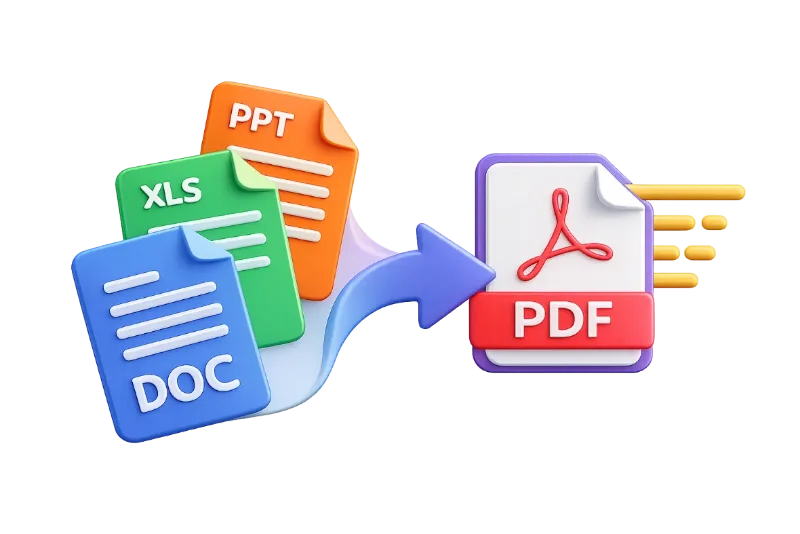
PDF to and from Word, Excel, PowerPoint, and images, and back again.PDF to Word
Turn any PDF into a fully editable Word document with layout and fonts preserved.
- Preserves formatting
- Editable text & fonts
- Fast conversion
PDF to Excel
Extract tables and data from a PDF straight into a clean, structured spreadsheet.
- Extracts tables
- Structured spreadsheet
- Accurate data
PDF to PowerPoint
Convert PDF pages into an editable PowerPoint presentation in one click.
- One-click convert
- Editable slides
- Keeps layout
PDF to Image
Export PDF pages as high-resolution JPG, PNG, or WebP images, up to 600 DPI.
- Up to 600 DPI
- JPG, PNG or WebP
- High resolution
Word to PDF
Convert DOCX files into a polished, professional PDF that looks right everywhere.
- Keeps formatting
- Universally readable
- Instant download
Image to PDF
Combine one or more photos or scans into a single, shareable PDF document.
- Combine multiple photos
- Custom page order
- Share-ready PDF
Convert Image
Switch between JPG, PNG, and WebP formats while keeping image quality intact.
- JPG, PNG & WebP
- No quality loss
- Batch conversion
JFIF to JPG
Fix incompatible JFIF files by converting them to standard, universally-supported JPGs.
- Universal compatibility
- Instant conversion
- No quality loss
Security:
Password-protect, redact, and sign your documents with confidence.Protect (Password)
Add 256-bit AES password protection so only people you choose can open your PDF.
- 256-bit AES encryption
- Custom password
- Restrict access
Redact (Sensitive Data)
Permanently black out names, numbers, or confidential text before you share a file.
- Permanently removes text
- Black-out sensitive data
- Share safely
Secure E-Signatures
Draw or type your signature and place it anywhere on a PDF, done entirely on-device.
- Draw or type signature
- Place anywhere
- 100% on-device
Raha Sign NEW
Free alternative to DocuSign & PandaDoc. Send a document to multiple people for signature and track status in real time.
- Multi-signer routing
- Real-time status tracking
- Free, no hidden fees
Image Tools:
Compress, resize, and generate images for web, email, and print.Compress Image
Shrink photo file sizes for web or email without any visible drop in quality.
- Smaller file size
- Web & email ready
- No visible loss
Resize Image
Resize images to exact pixel dimensions or common presets in a couple of clicks.
- Exact pixel dimensions
- Common presets
- Quick & precise
HTML to JPG
Turn a web page, HTML snippet, or design into a downloadable JPG or PNG image.
- Web page to image
- High-quality output
- PNG or JPG
QR Code Generator
Create a custom QR code for a link, WiFi network, or text, download as PNG or SVG.
- Links, WiFi & text
- PNG or SVG export
- Fully customizable
YouTube Thumbnail
Paste any YouTube video, Short or live-stream link and save its thumbnail in HD and every size YouTube stores.
- Every real size
- Videos, Shorts & live
- No sign-up needed
Learn How to Get the Most Out of Your PDFs
Quick, step-by-step how-tos for the things people search for most.
How to Convert a PDF to JPG
- Open your PDF with the PDF to Image converter
- Choose your output format, JPG, PNG, or WebP
- Pick a resolution, up to 600 DPI
- Convert every page, or select just the ones you need
- Download your images instantly, processed in your browser
How to Delete Pages from a PDF
- Open the file with the Delete PDF Pages tool
- Click the page thumbnails you want to remove
- Download a new document with the pages removed
How to Edit PDF Text Online
- Drag and drop your PDF into the PDF Editor
- Click any text to edit it, adjust font size, color, or alignment
- Click Export to download, with the original formatting preserved
How to Sign a PDF Online
- Open your file with the Sign PDF tool
- Draw or type your signature
- Drag it onto the page, wherever you need it
- Click Download, everything happens in your browser
How to Password Protect a PDF
- Open the Protect PDF tool
- Select or drag and drop your PDF document
- Enter your desired password, secured with 256-bit AES encryption
- Click "Protect PDF" and download your encrypted file instantly
How to Merge PDF Files
- Open the Merge PDF tool
- Add two or more PDF files, then drag them into the order you want
- Click Merge, your combined document downloads instantly
How to Convert a PDF to Word
- Open the PDF to Word converter
- Upload the PDF you want to convert
- Wait a few seconds while layout, fonts, and tables are reconstructed
- Download a fully editable .docx file, ready for Microsoft Word or Google Docs
How to Compress a PDF
- Open the Compress PDF tool
- Upload your file and choose a compression level
- Download the smaller file, with no visible drop in quality
How to Watermark a PDF
- Open the Watermark PDF tool
- Type your text, CONFIDENTIAL, DRAFT, or anything you need
- Adjust font, rotation, and opacity, then preview it live on the page
- Download your watermarked PDF, applied to every page at once
Built for Professionals
Everything you need to work with files, without the bloat.
Lightning Fast Processing
PDF editing happens right in your browser using advanced local processing, fast, responsive, and no waiting.
Secure File Handling
Your PDF editing runs locally in your browser, so files stay on your device. Tools that need conversion use a secure, encrypted connection.
Accurate PDF Rendering
Pixel-perfect PDF rendering powered by PDF.js. See your document exactly as it was created.
No Learning Curve
Clean, intuitive interface designed for everyone. Click to edit, that's all there is to it.
Works Everywhere
Fully responsive design works on desktop, tablet, and mobile. No installation required.
Free to Use
Core PDF editing is free to use, no watermarks, no hidden fees. Affordable Pro plans for heavy users.
Unlike traditional online PDF platforms (such as Adobe Acrobat, iLovePDF, and Sejda) that upload your confidential documents to external cloud servers, Raha Tools executes PDF editing and conversion 100% inside your browser using WebAssembly. Your files are never uploaded to any remote server, giving you maximum privacy, instant processing speed, and zero file size waiting limits.
Why Choose RahaTools for Private File Processing
When you use RahaTools to edit, convert, or compress your documents, you are leveraging advanced client-side JavaScript processing. This means your sensitive files are processed locally directly within your web browser. By avoiding server-side storage risks, we ensure that your private data is never uploaded to a remote database, completely eliminating the risk of data breaches and unauthorized access.
Whether you are merging confidential business contracts or extracting text via our browser-based OCR tool, you maintain complete ownership of your data. We engineered our free PDF tools suite to provide lightning-fast performance without compromising your digital privacy.
Frequently Asked Questions
Everything you need to know about Raha Tools.
Which Raha Tools tool should I use?
It depends what you need: use the PDF Editor to change text, images, or signatures; Merge or Split PDF to combine or separate pages; Compress PDF to shrink file size; PDF to Word, Excel, or PowerPoint to convert to Office formats; and PDF OCR to make a scanned document editable (see our scanned-PDF guide). Browse the full list on the Tools page.
Are all the tools on Raha Tools really free?
Yes, every tool is free to use, with no sign-up. The free tier includes 3 tasks per hour, shared across every tool; for unlimited use there's an affordable Pro plan.
Is it safe to use Raha Tools for sensitive documents?
Most tools, including the PDF Editor, Merge, Split, Compress, and OCR, process your file entirely in your browser using PDF.js, so it never leaves your device. A few tools that require format conversion, such as PDF to Word, process your file on a secure, encrypted server; each tool page states clearly which applies. Read more in our browser vs. desktop security guide.
Do I need to create an account?
No account is required for any tool. Open the tool, upload your file, make your changes, and download, that's it. See our full roundup: Best Free PDF Tools Online (No Sign-Up Required).
Which file formats does Raha Tools support?
PDF is the core format, plus conversion to and from Word (DOCX), Excel (XLSX), PowerPoint (PPTX), and images (JPG, PNG, WebP). You can also turn scanned documents and photos into editable text with PDF OCR, see our PDF to Word guide for details.
Does Raha Tools work on mobile?
Yes. Every tool is fully responsive and works in Safari on iOS and Chrome on Android, no app to install. See our mobile editing guide for tips.