
All Free Online PDF & Image Tools
Professional, fast, and private by design. Raha Tools provides a complete suite for editing PDFs, merging files, compressing images, and reviewing documents, with PDF editing handled right in your browser.
No tools found
Try a different keyword or browse all categories above.
PDF Tools
20 toolsThe ultimate suite for PDF management. Edit text, merge multiple files, compress size, and protect with passwords, all without leaving your browser.
PDF Editor
Edit text, images, and layout in your PDF files directly in the browser with pixel-perfect precision.

Fix PDF Text
Fix incorrect colors, restore missing fonts, and repair broken text formatting online for free.
Merge PDF
Combine multiple PDF files into one high-quality document in seconds. Fast and private.
Compress PDF
Reduce your PDF file size dramatically without any visible quality loss. Fast, free, and private.

Protect PDF
Add military-grade password protection and encryption to your PDF files in seconds.

Unlock PDF
Remove a password from a PDF you already know — decrypt it instantly, right in your browser.

Split PDF
Extract specific pages from your PDF into a new, smaller document instantly. Select visually.

Rotate PDF
Rotate sideways or upside-down pages 90°, 180° or 270° and save the rotation permanently.

Add Page Numbers
Number your PDF pages with custom position, format and starting number, with a live preview.

Watermark PDF
Stamp CONFIDENTIAL, DRAFT or custom text across your PDF with control over opacity and rotation.

PDF to Word
Convert any PDF to an editable Word document (.docx) with preserved fonts, tables, and formatting.

PDF to Image
Extract high-resolution JPG, PNG (transparent), and WebP images directly from PDF pages locally.

Word to PDF
Convert DOCX to professional-grade PDF instantly. High fidelity output, securely handled.

PDF to Excel
Extract tables, rows, and columns from PDFs into fully editable Microsoft Excel spreadsheets (.xlsx).

PDF to PowerPoint
Reconstruct your PDF pages into fully editable, structured Microsoft PowerPoint (.pptx) slides.

Sign PDF
Draw or type your signature and place it anywhere on a PDF. eSign contracts privately in your browser.

Delete PDF Pages
Click the pages you want to remove and download a clean PDF. Drop blank scans and unwanted sections instantly.

PDF OCR
Extract editable text from scanned PDFs and images. Private, on-device recognition in 12+ languages.

Redact PDF
Permanently black out sensitive text. Redacted pages are flattened so hidden data can't be recovered.

Crop PDF
Trim margins and white space by dragging a box. Apply to all pages, lossless and vector-sharp.
Document Tools
8 toolsProfessional document review, handwriting conversion, and collaboration tools. Annotate, sign, convert, and stamp documents with pixel precision.
Text to Handwriting NEW
Convert typed essays and notes to realistic human handwriting. Ruled notebook paper, natural letter jitter, and multi-page PDF export.
Raha Sign NEW
Free alternative to DocuSign, PandaDoc & HelloSign. Send a document to multiple people, track Sent/Viewed/Signed status, and get it back signed automatically.

Document Review
Professional annotation suite with high-fidelity highlights, digital signatures, and corporate stamps for PDF, Word & Excel.

Email Signature
Create professional, branded email signatures with clickable social icons. Works perfectly with Gmail, Outlook & Apple Mail.
Free Receipt Maker
Create a professional receipt online with 7 templates, live preview, your logo, tax & discounts, and instant PDF or PNG export.

Professional CV Maker
Build a job-winning resume in minutes with ATS-friendly templates and high-quality PDF export. No registration required.
Text to Handwriting
Convert digital text into ultra-realistic handwritten notes with dynamic human variation.
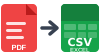
Bank Statement Converter
Convert bank statement PDFs to Excel or CSV instantly. Encrypted upload, supports every major bank.
Image Tools
10 toolsPowerful image processing tools. Resize, compress, and convert photos for web use, render HTML to images, or stitch multiple images into professional PDF reports.

Resize Image
Change image dimensions instantly. Ideal for web, email, or social media uploads.

Compress Photo
Dramatically reduce the file size of your photos to save storage and improve web performance.
Convert Image
Convert pictures between formats like JPG, PNG, and WebP instantly inside your browser.

JFIF to JPG
Fix unopenable JFIF images by instantly converting them to universally compatible standard JPG format locally.
JPG to WEBP
Convert JPG images to the smaller, modern WEBP format instantly in your browser.
Image to PDF
Stitch multiple photos, receipts, or contracts into a single compressed PDF report.
HTML to JPG
Render HTML code into a high-resolution JPG or PNG image instantly, right inside your browser.

Raha Share
Send files directly from your device to theirs. No upload, no size limit, no account.

QR Code Generator
Create custom QR codes for links, WiFi, text and more. Pick your colors and download as PNG or SVG.

YouTube Thumbnail Downloader
Download 4K Ultra HD, Full HD & Shorts thumbnails in vertical 9:16 and 16:9 formats. Includes batch downloading and 1-click clipboard copy.
Frequently Asked Questions
Are all Raha Tools actually free?
Yes. Every tool listed here is free to use, with no sign-up and no watermark on your downloaded files.
Do I need to create an account to use these tools?
No. None of the tools require an account, email address, or payment to use.
Is my file uploaded to a server?
Most tools, including the PDF Editor, Compress PDF, and Sign PDF, process your file entirely in your browser and never upload it anywhere. A few tools that need heavier processing do upload temporarily; those are clearly noted on each tool's own page.
What file size can I upload?
Most tools support files up to 50MB. Exact limits can vary slightly by tool depending on what it does.