
How to Annotate and
Review PDFs Online, Free
Highlight text, leave sticky notes, mark up charts, and sign off on a document — entirely in your browser, step by step.
Reviewing a PDF someone sent you usually means one of two workarounds: printing it out to mark up by hand and scanning it back in, or paying for a full Adobe Acrobat subscription just to leave a comment. Neither is necessary — you can highlight, annotate, and sign off on a PDF directly in your browser, for free, in under a minute.
Why Most Free Annotation Tools Fall Short
Search for "free PDF annotation tool" and most of what comes up shares the same three problems: your file is uploaded to a server before you can even see it, exporting distorts the original formatting, and a watermark gets stamped across the page unless you pay.
The Raha Tools Document Review Suite avoids all three. It processes the file entirely in your browser — nothing is uploaded — it's free to use, and exports carry no watermark.
How to Annotate a PDF Step-by-Step
Here's the exact process, step by step.
Step 1: Upload Your Document
First, go to the Document Review Tool and drag your PDF onto the screen.
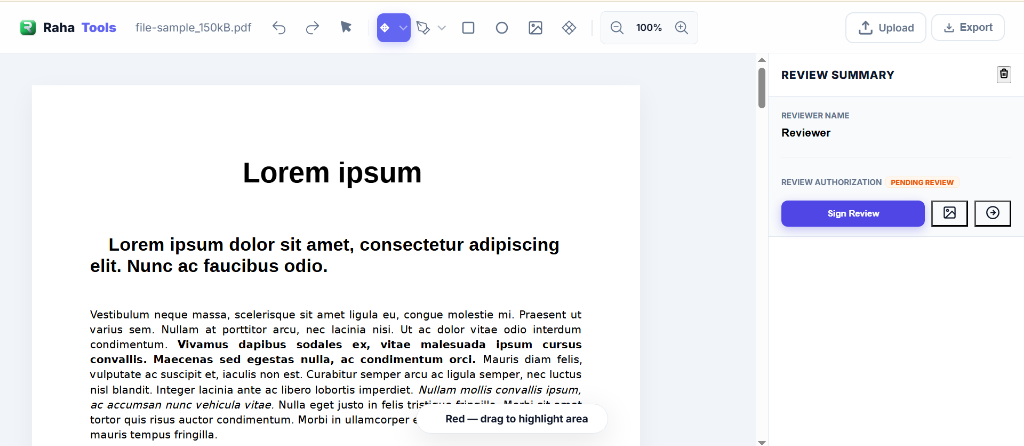
Notice how clean the interface is? You have a full "Review Summary" panel on the right side that tracks every single comment you make.
Step 2: Use the Smart Highlighter
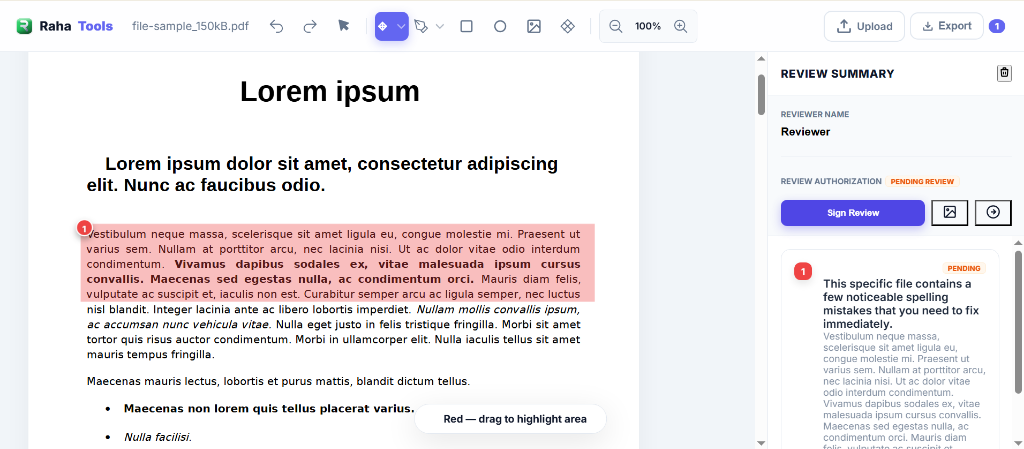
If you want to draw attention to a specific paragraph, click the Highlight Tool.

You aren't stuck with just yellow. You can use red for critical errors, green for approvals, or blue for general notes. Just drag your mouse over the text.
Step 3: Add Contextual Sticky Notes
A highlight is great, but sometimes you need to explain why you highlighted it.
That's where the Sticky Note feature comes in.
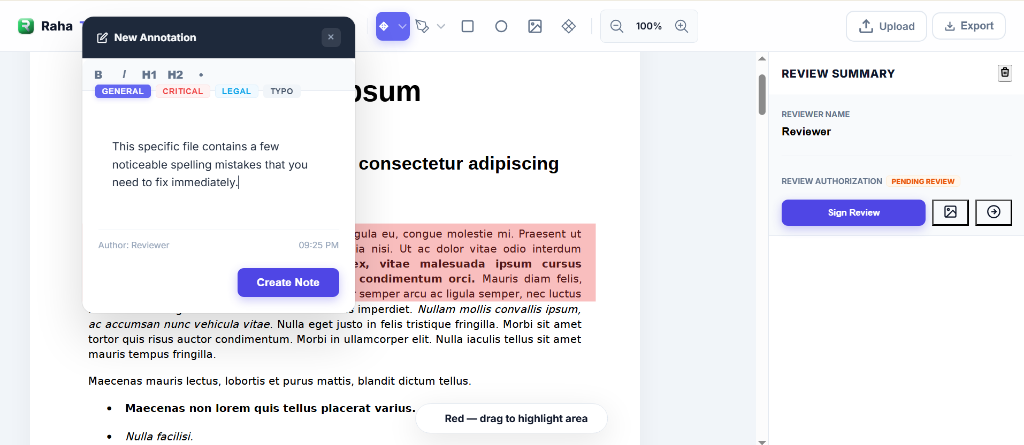
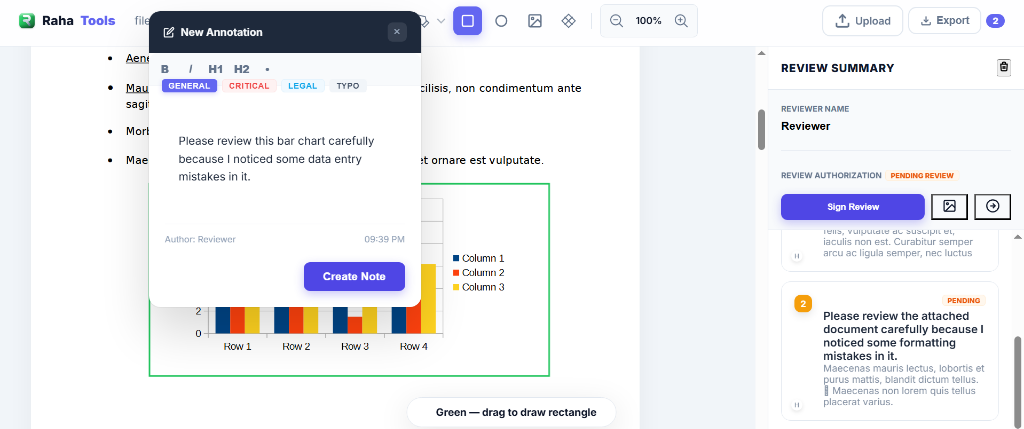
Our tool lets you categorize your notes (like "General," "Critical," or "Typo"). This makes it incredibly easy for the person receiving the document to know exactly what needs fixing immediately.
Step 4: Draw Shapes on Complex Graphics
What if you need to review a bar chart or a complex diagram? You can't just highlight an image.
That is why we built the Shape Annotator. You can drag a perfect green rectangle right over the data entry mistake.
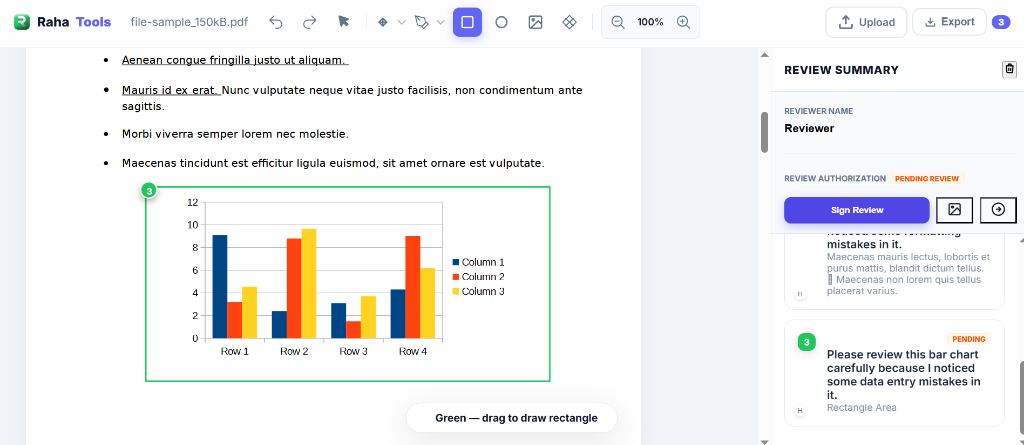
And just like the highlighter, you can attach a direct sticky note to that shape. No more guessing what the feedback means!
Step 5: Authorize and Sign Your Review
Once you finish marking up the document, you need to make it official.
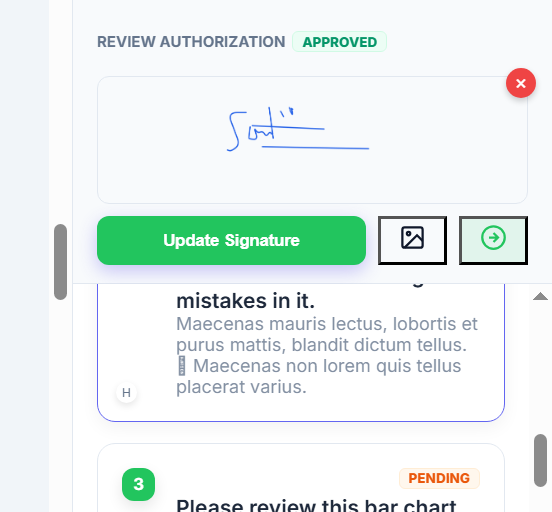
Click the Sign Review button on the right sidebar. A secure signature modal will pop up, allowing you to draw your signature directly on the screen.
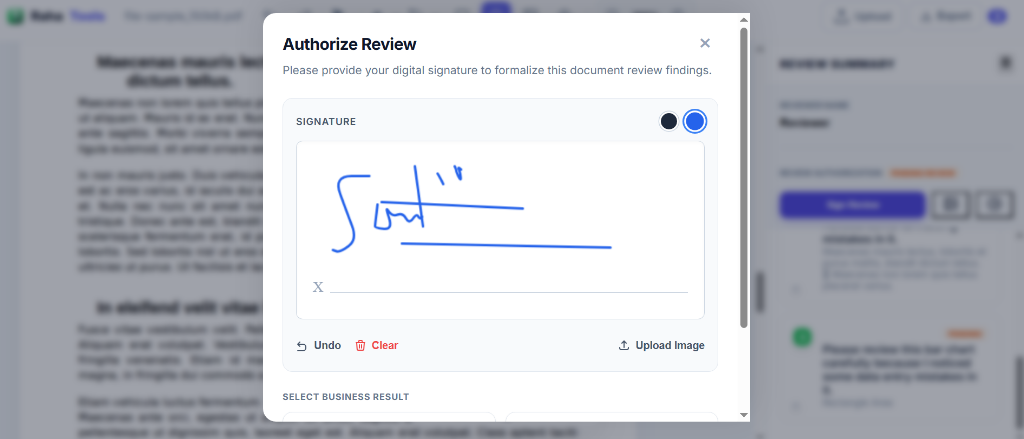
This instantly changes the document status to APPROVED. It's clean, professional, and carries serious weight in a business workflow.
Step 6: Export Your Masterpiece
Now that your review is complete, you can zoom out and see all your multi-page annotations in one place.
Every single highlight, sticky note, and shape is tracked and numbered perfectly.
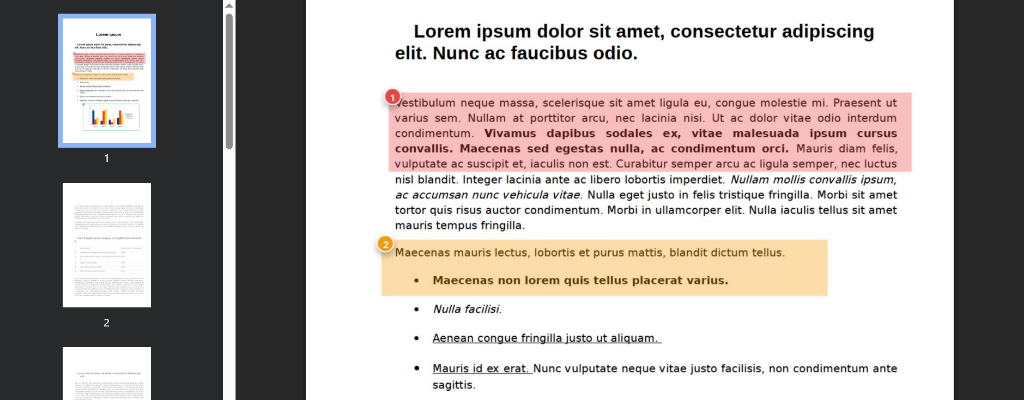
Hit the Export button, and you're done. No watermarks. No loss of quality.
Step 7: The Final Business Certificate
This is where Raha Tools completely separates itself from basic PDF highlighters.
When you export an authorized document, the tool automatically appends a Final Business Verdict certificate to the very end of your PDF.
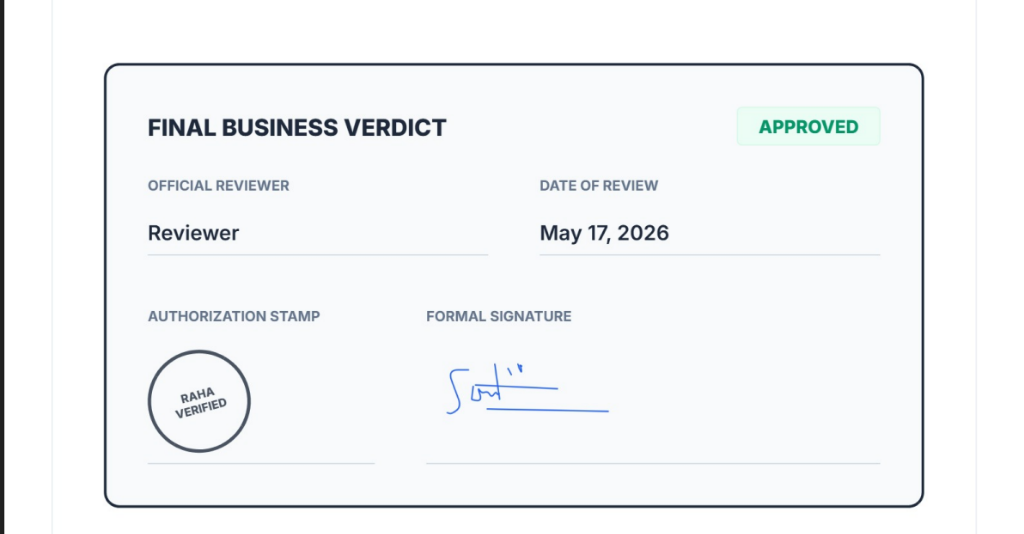
This page includes the official reviewer's name, the exact date, your formal signature, and a verifiable authorization stamp. This is the ultimate way to prove that a document was legally reviewed and approved by you.
Try It on Your Own PDF
No printing, no software subscription — open the tool and start marking up your document directly. If you need to go further than annotations, like editing the underlying text or restructuring the document itself, the PDF Editor handles that instead.
No credit card required. No account needed.